What the ERA Email Routing template does
- Classify inbound email with rules for known senders and subjects, then an LLM router for the rest.
- Reply, forward, label, archive or hand off to tools such as tickets, calendar and finance lookups.
- Draft quotations from enquiries when Smart Quotation is enabled for the mailbox.
- Tag every message with an ERA label so outcomes are visible in Gmail or your IMAP client.
- Keep an execution history with the reason for each decision.
How to set it up
- Sign in and open the template, then connect a mailbox with a Gmail app password or IMAP and SMTP.
- Add routing rules for the senders and subjects you already know, and describe the teams or people that receive each kind of mail.
- Choose how often the agent checks the inbox and which actions it may take on its own.
- Enable the workflow and review the first runs in the execution history before widening what it can do.
What you need
- A mailbox you are allowed to automate (Gmail with an app password, or any IMAP and SMTP account).
- A short list of routing rules and the people or teams mail should reach.
- Optional: your price list or policy documents if you want automatic quotations.
Control and safety
Rules run before any AI, so predictable mail never depends on a model. You choose which actions are automatic, and the execution history records the reason behind each one.
- Rules first, LLM second: Spam filters, known senders and rules settle most mail before any AI is used.
- Teams and assignment: Route to the right team or person, with assignment and forwarding built in.
- Labelled outcomes: Every message gets an ERA label so outcomes are visible in the mailbox.
What the ERA Email Routing template gives you
A routing engine you can read
Rules run in a fixed order and only mail that no rule settles reaches the language model, so decisions stay predictable and cheap.
- Classify inbound email with rules for known senders and subjects, then an LLM router for the rest.
- Reply, forward, label, archive or hand off to tools such as tickets, calendar and finance lookups.
- Draft quotations from enquiries when Smart Quotation is enabled for the mailbox.
Actions your team controls
The agent can reply, forward, label, archive or hand off to tools, and you choose which actions it may take on its own.
- Draft quotations from enquiries when Smart Quotation is enabled for the mailbox.
- Tag every message with an ERA label so outcomes are visible in Gmail or your IMAP client.
- Keep an execution history with the reason for each decision.
Every decision on record
Each message carries an ERA label and the run history stores the rule or reasoning behind it.
- Keep an execution history with the reason for each decision.
- Classify inbound email with rules for known senders and subjects, then an LLM router for the rest.
- Reply, forward, label, archive or hand off to tools such as tickets, calendar and finance lookups.
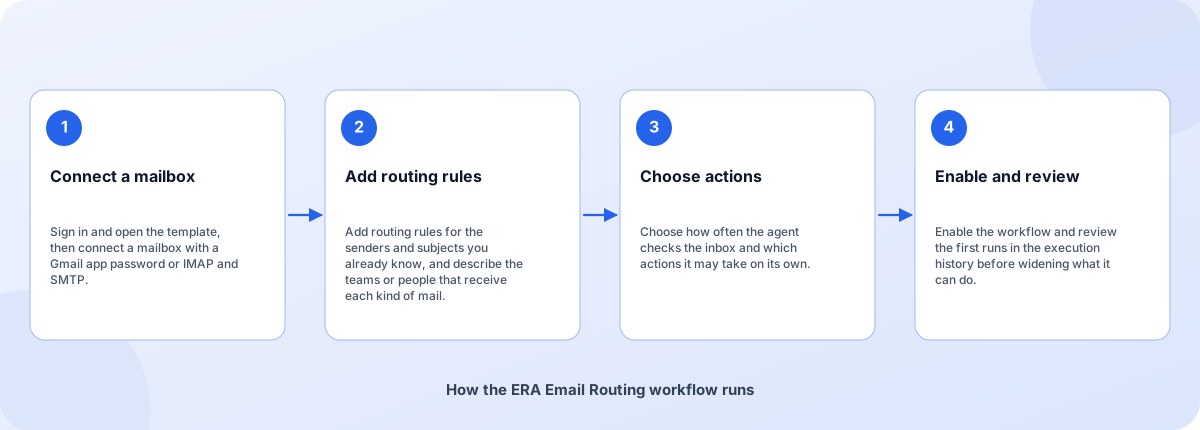
From sign-in to a running workflow
Setup is guided. Nothing runs until you review the settings and enable it.
- Connect a mailbox: Sign in and open the template, then connect a mailbox with a Gmail app password or IMAP and SMTP.
- Add routing rules: Add routing rules for the senders and subjects you already know, and describe the teams or people that receive each kind of mail.
- Choose actions: Choose how often the agent checks the inbox and which actions it may take on its own.
- Enable and review: Enable the workflow and review the first runs in the execution history before widening what it can do.
How the ERA Email Routing workflow runs
How ERA Email Routing is built
ERA Email Routing is a template on the Coderva workflow platform: a guided setup writes the configuration, agents do the work, and every run is stored in the execution history.
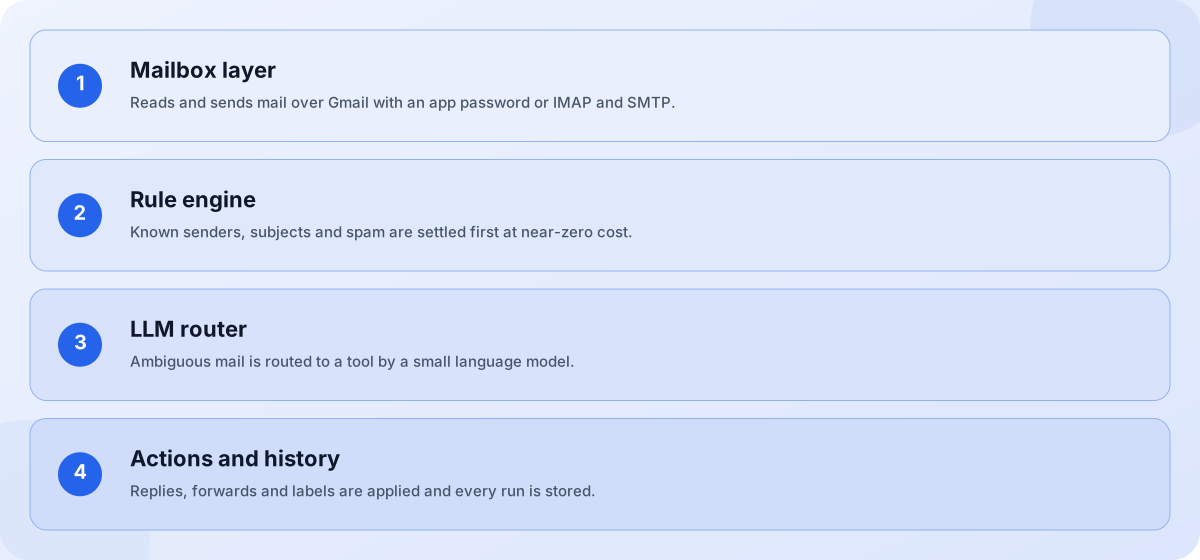
- Mailbox layer: Reads and sends mail over Gmail with an app password or IMAP and SMTP.
- Rule engine: Known senders, subjects and spam are settled first at near-zero cost.
- LLM router: Ambiguous mail is routed to a tool by a small language model.
- Actions and history: Replies, forwards and labels are applied and every run is stored.
Screens you will use
Everything is managed from the workflow page after you sign in.
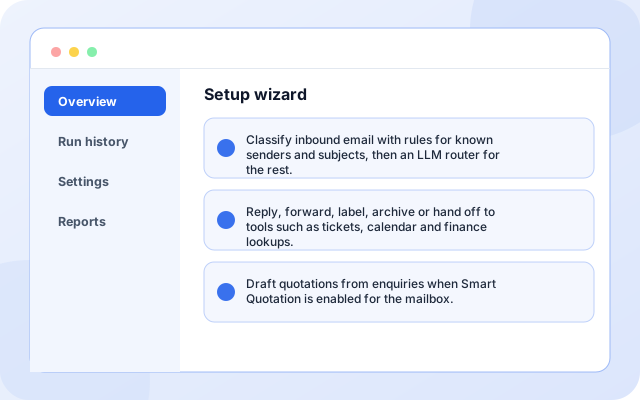
Setup wizard
A guided setup connects the mailbox, tools, teams and routing rules, then you review and activate.
- Classify inbound email with rules for known senders and subjects, then an LLM router for the rest.
- Reply, forward, label, archive or hand off to tools such as tickets, calendar and finance lookups.
- Draft quotations from enquiries when Smart Quotation is enabled for the mailbox.
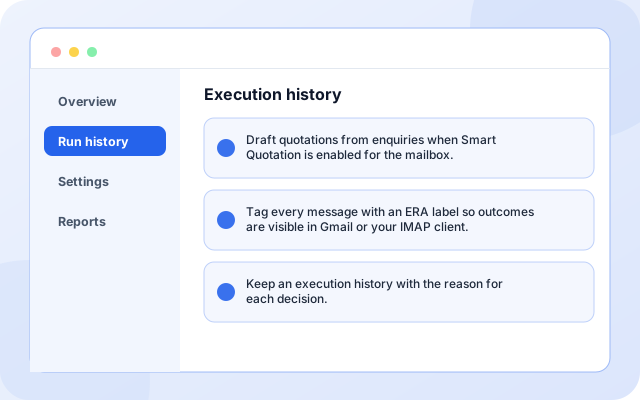
Execution history
Each run shows the message, the decision and the action taken.
- Draft quotations from enquiries when Smart Quotation is enabled for the mailbox.
- Tag every message with an ERA label so outcomes are visible in Gmail or your IMAP client.
- Keep an execution history with the reason for each decision.
What teams switch on first
Each capability can be used on its own.
- Two-stage classification: Classify inbound email with rules for known senders and subjects, then an LLM router for the rest.
- Reply, forward, archive: Reply, forward, label, archive or hand off to tools such as tickets, calendar and finance lookups.
- Smart quotations: Draft quotations from enquiries when Smart Quotation is enabled for the mailbox.
- ERA labels: Tag every message with an ERA label so outcomes are visible in Gmail or your IMAP client.
- Decision history: Keep an execution history with the reason for each decision.
- Cost control: Optional: your price list or policy documents if you want automatic quotations.
Systems it works with
Connections this template uses today.
- Gmail (app password)
- Any IMAP and SMTP mailbox
- CRM lookup
- Ticket tools
- Calendar
- Knowledge base
Control and checks built in
Rules run before any AI, so predictable mail never depends on a model. You choose which actions are automatic, and the execution history records the reason behind each one.
- Does the agent read every email with an AI model?: No. A rule engine handles known mail first. Only messages the rules cannot place go to a small LLM router, and only complex multi-step emails reach a full agent. This keeps cost and risk low.
- Which mailboxes does it work with?: Gmail with an app password, and any provider that supports IMAP for reading and SMTP for sending.
- Can I see why it made a decision?: Yes. Each run is stored in the execution history with the matched rule or the model reasoning, and the message carries an ERA label in your mailbox.
What is in ERA Email Routing
- Two-stage classification: Classify inbound email with rules for known senders and subjects, then an LLM router for the rest.
- Reply, forward, archive: Reply, forward, label, archive or hand off to tools such as tickets, calendar and finance lookups.
- Smart quotations: Draft quotations from enquiries when Smart Quotation is enabled for the mailbox.
- ERA labels: Tag every message with an ERA label so outcomes are visible in Gmail or your IMAP client.
- Decision history: Keep an execution history with the reason for each decision.
Frequently asked questions
Does the agent read every email with an AI model?
No. A rule engine handles known mail first. Only messages the rules cannot place go to a small LLM router, and only complex multi-step emails reach a full agent. This keeps cost and risk low.
Which mailboxes does it work with?
Gmail with an app password, and any provider that supports IMAP for reading and SMTP for sending.
Can I see why it made a decision?
Yes. Each run is stored in the execution history with the matched rule or the model reasoning, and the message carries an ERA label in your mailbox.