What PMA does
- Plan campaigns and structure for your website, goals and budget.
- Research keywords and estimate the opportunity for each.
- Draft responsive search ads and score their ad strength.
- Audit landing pages for paid-search readiness and Quality Score.
- Review budgets, detect wasted spend and propose bid changes.
- Monitor metrics and flag anomalies and trends.
- Compare A/B test variants and pick winners.
- Produce daily, weekly and monthly reports with recommendations.
Four ready workflows
- Full Orchestration: the end-to-end Google Ads workflow for your website.
- Quick Audit: a rapid review of the account and landing pages.
- Campaign Launch: from plan and keywords to ad copy and campaign setup.
- Performance Monitor: a scheduled optimisation loop on weekdays.
Recommendations you review
PMA proposes changes with the data behind them. Your marketer reviews the recommendations and decides which to apply, so budget and bidding decisions stay with your team.
Who uses it
Performance marketers, small business owners and agencies who run Google Ads and want faster analysis, consistent reporting and a steady stream of optimisation ideas.
- Specialist agents: Planning, keywords, ads, budget and reports
- Reviewable advice: Recommendations with the data behind them
- Always monitoring: Scheduled performance checks on weekdays
Benefits of PMA for Google Ads
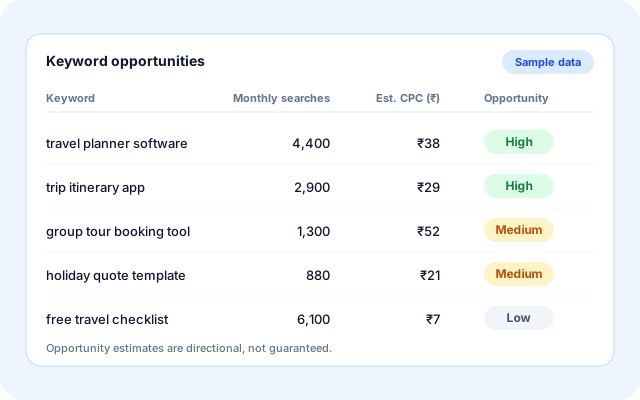
Plan with keyword research
Start from your website and goals. PMA researches keywords, estimates the opportunity for each and proposes a campaign structure.
- Seed and competitor-based keyword research.
- Opportunity estimates for each keyword.
- Campaign planning around your goal and budget.
- A clear starting point for new campaigns.
Write and score ads
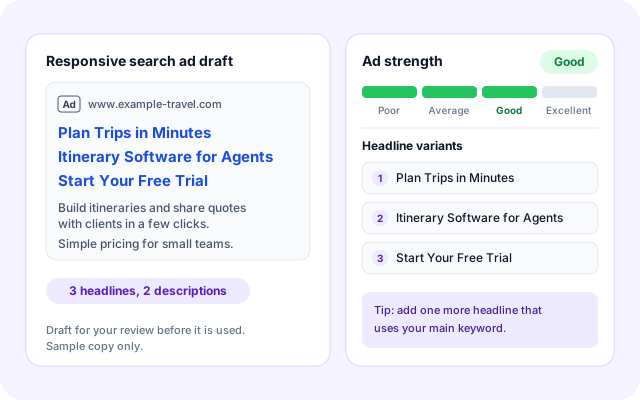
PMA drafts responsive search ads and computes an ad strength so you can pick the strongest copy before launch.
- Responsive search ad drafts.
- Ad strength scoring.
- Brand voice and conversion goal applied.
- A/B variants compared to find winners.
Audit landing pages
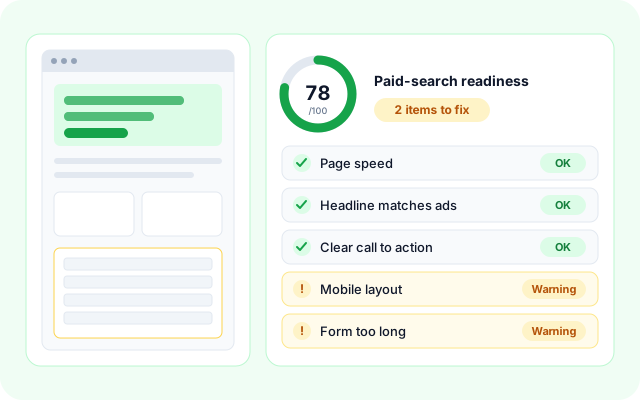
Check whether your landing page is ready for paid search and get specific suggestions to improve Quality Score.
- Paid-search readiness check.
- Quality Score improvement ideas.
- Findings stored for each audit.
- Re-audit after every change.
Optimise budget and report
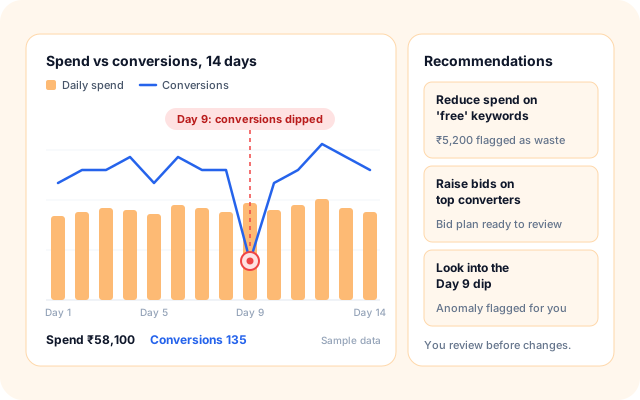
PMA looks for wasted spend, proposes bid changes, flags anomalies and sends daily, weekly and monthly reports with recommendations.
- Wasted spend detection.
- Bid and budget optimisation plans.
- Metric trends and anomaly alerts.
- Daily, weekly and monthly reports.
Five simple steps from website to optimised campaigns.
Enter your website, goal and budget once. PMA runs its specialist agents in sequence and gives you recommendations to review.
- Plan: Set your website, goal, budget and targets.
- Research: Keywords and opportunities are researched.
- Create: Ad copy is drafted and landing pages audited.
- Optimise: Budgets, bids and variants are reviewed.
- Report: Daily, weekly and monthly reports with advice.
From a website to a recurring optimisation loop.
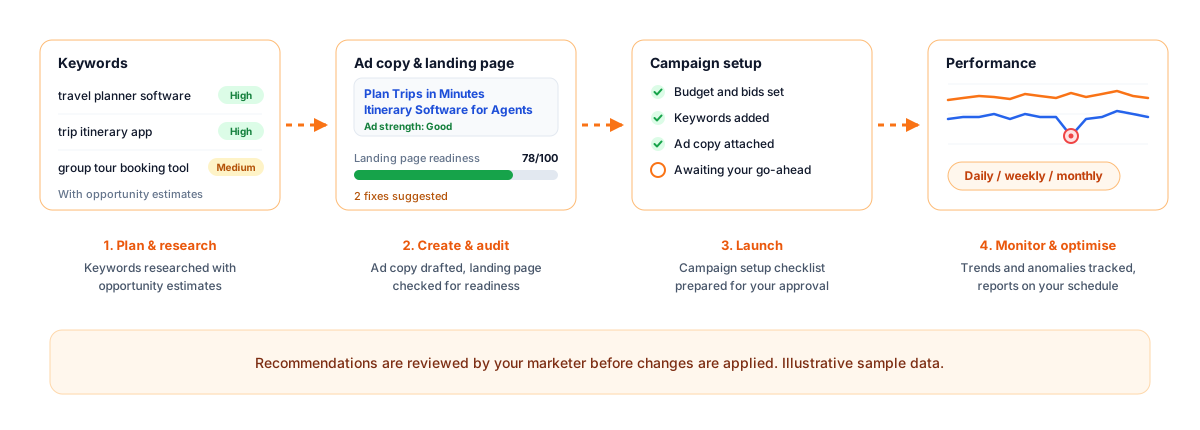
Everything for Google Ads performance.
- Planning and keywords: Campaign planning, keyword research and opportunity estimates.
- Ad copy and testing: Responsive search ads, ad strength and A/B comparisons.
- Landing page audits: Paid-search readiness and Quality Score improvements.
- Budget, metrics and reports: Wasted-spend checks, anomaly alerts and scheduled reports.
Frequently asked questions
Does PMA change my campaigns on its own?
PMA produces recommendations for review. Your team decides which changes to apply.
What does it need to get started?
Your website, a conversion goal, a monthly budget and targets such as cost per acquisition or return on ad spend, entered in the guided setup.
What reports does it produce?
Daily, weekly and monthly reports covering metric trends, anomalies, wasted spend, keyword opportunities, landing-page findings and A/B test results.
Can I run just an audit?
Yes. The Quick Audit workflow reviews your setup rapidly without launching anything.