What Ledger Insight & Analysis does
- Accept bills, receipts and invoices as JPG, PNG, PDF or Excel files.
- Extract vendor, date, amount and line-item details with AI assistance.
- Let you review and correct every extracted field before anything is saved.
- Categorise entries as intake, purchase or expense, or use your own categories.
- Search and filter the ledger by vendor, amount, category, period or date.
- Answer questions about revenue, expenses and profit in plain language.
Five simple steps from documents to insights
- Upload a bill or receipt as a JPG, PNG, PDF or Excel file.
- AI extracts the vendor, date, amount and line-item details.
- Review the extracted fields and correct anything that needs it.
- Save the verified record to your ledger.
- Ask questions about your records in plain language.
Why review before saving
AI extraction speeds up data entry but is not perfect, so nothing reaches the ledger until a person has checked it. Each saved entry keeps a link to its source document, which makes later questions and month-end reviews traceable.
Who uses it
Accountants, finance analysts, small business owners and operations teams who handle a steady stream of bills and receipts and want a clean, searchable record without retyping every document. It complements your accounting software and does not replace your system of record.
- Review before saving: Check and correct extracted details
- Bills & receipts: Upload PDFs, images or Excel files
- Ask your ledger: Get answers about revenue, expenses and profit
Benefits of Ledger Insight & Analysis
Organize your financial records
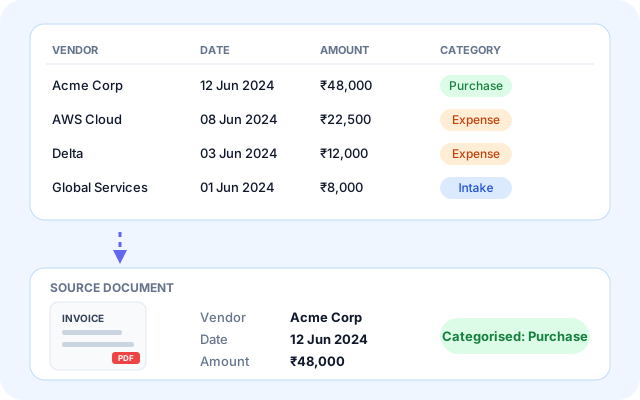
Bring all your bills, receipts and invoices to one place. Extract vendor, date, amount and line-item details, and categorise them as intake, purchase or expense.
- One ledger for bills in different formats.
- Vendor, date, amount and line items captured for you.
- Categorise as intake, purchase, expense or your own category.
- Every entry keeps a link to its source document.
Find and review entries
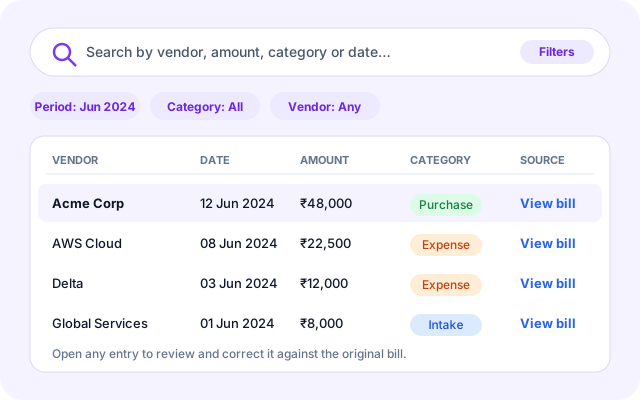
Search and filter by vendor, amount, category or date, then open any entry to compare it with the original bill.
- Search by vendor, amount, category, period or date.
- Open the source bill from any ledger row.
- Correct details when extraction misses something.
- Keep a clean record that is easy to review.
Get plain language insights
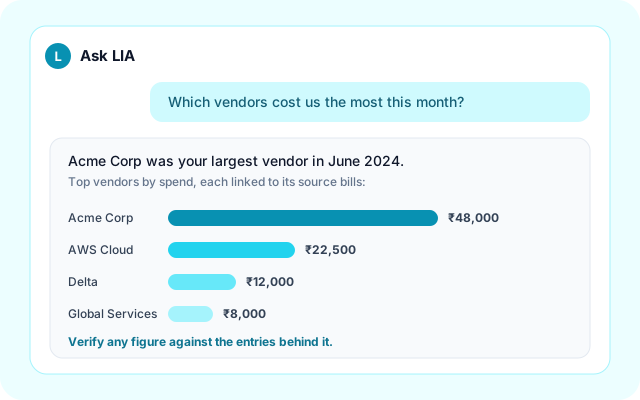
Ask questions such as which vendors cost the most this month and receive a short summary with the entries behind it.
- Ask in your own words, no queries to write.
- Summaries and simple charts of spend by vendor or category.
- Answers link to the underlying entries so you can verify them.
- Reuse the same questions every period.
Save time on financial reviews
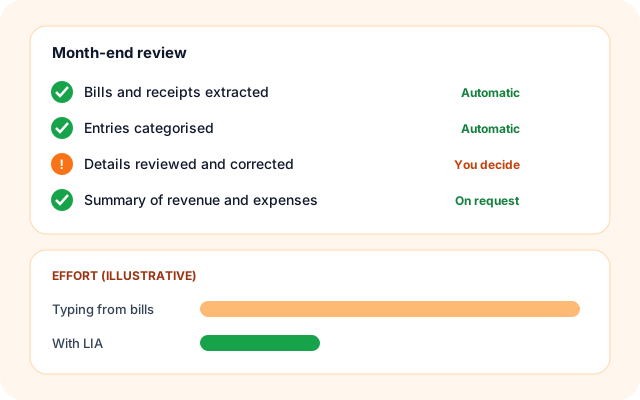
Extraction and categorisation are automatic, so review time goes to checking details and understanding results instead of retyping documents.
- Less manual typing from bills and receipts.
- You stay in control of what is saved.
- Repeatable month-end review steps.
- Complements your existing accounting system.
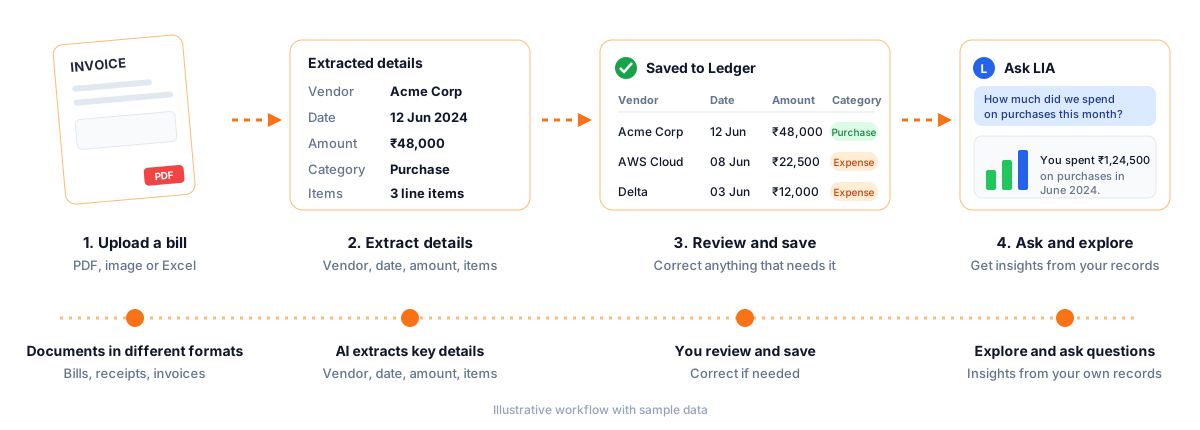
Five simple steps to go from documents to insights.
Upload a bill, review the extracted details, save it to your ledger and ask questions about your financial data.
- Upload: Upload a bill or receipt (JPG, PNG, PDF or Excel).
- Extract: AI helps extract vendor, date, amount and line-item details.
- Review: Check the extracted fields and correct anything that needs it.
- Save: Save the verified record to your ledger.
- Ask: Ask questions about your records in plain language.
From scattered bills to searchable financial records.
Everything you need to explore your numbers.
- Document extraction: Extract vendor, date, amounts, line items and other key details from bills and receipts.
- Categorization: Organise entries as intake, purchase or expense for better tracking.
- Ledger search: Browse, filter and search ledger entries across accounts, periods or vendors.
- Conversational insights: Ask questions in natural language and get clear summaries with supporting records.
Frequently asked questions
Which files can I upload?
Bills and receipts as JPG, PNG, PDF or Excel files.
Is anything saved without my review?
No. Extracted details are shown for you to check and correct, and only the verified record is saved to the ledger.
Can I trace an answer back to the source?
Yes. Answers reference the underlying ledger entries, and each entry links back to the bill it came from.
Does it replace my accounting software?
No. It sits alongside your accounting tools and helps you organise documents, search records and ask questions about them.