What the Marketing & Campaign Agent does
- Take an objective, hashtags and a target: generic, a company, an industry, a job role or a person.
- Draft the campaign copy, with email as the channel available in setup today.
- Generate a marketing image and keep your logo and brand details on it.
- For email, produce a subject line and a campaign email for your recipient list.
- Send the approver an email preview with approve and reject links.
- Send the campaign once it is approved.
- Run on a daily, weekly or monthly schedule, or run now on demand.
Five steps from objective to published campaign
- Set the objective, hashtags, target audience and channels.
- MSA drafts the copy and an image.
- The approver receives a preview by email.
- On approval, MSA sends the campaign.
- Results and run history are recorded for review.
Always approved before it goes out
AI-generated content waits for an approver, who can approve or reject it from the email. If you choose to supply your own content, you can send it without approval. Each run records its outcome so you can see what was sent and what failed.
Who uses it
Marketing teams, founders and agencies who want a steady publishing rhythm across social and email without drafting every campaign by hand. MSA is configured once in a guided setup and can then run on its schedule.
- Approval first: AI-generated content waits for approval
- Email today: Social channels are listed as upcoming
- On a schedule: Daily, weekly, monthly or run now
Benefits of the Marketing & Campaign Agent
Start from an objective
Describe what the campaign should achieve, add hashtags and choose who it is for. MSA writes copy and creates an image tuned to that target.
- Objective, hashtags and channels set once.
- Target a company, industry, job role or person, or stay generic.
- Logo and brand details kept on images.
- Consistent voice across every run.
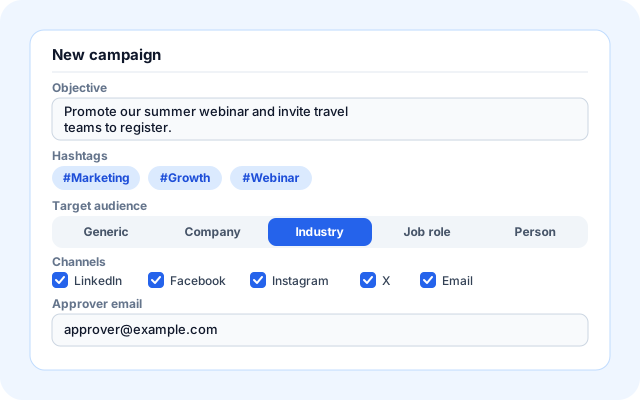
One brief, every channel
The objective is written up as a structured campaign email for your recipient list. Social channels are shown in setup as upcoming.
- Campaign email with subject line and body.
- Image generated for the post.
- Social channels are listed as upcoming in setup.
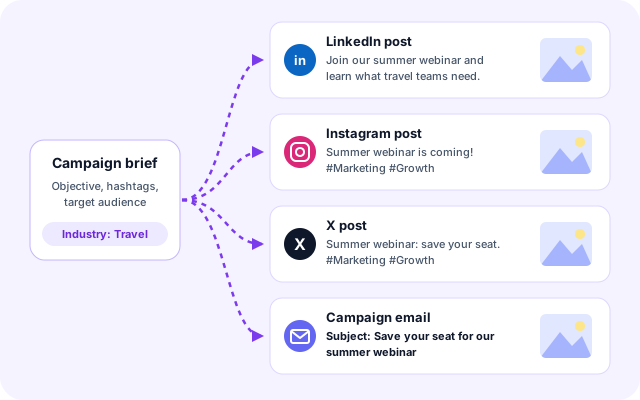
Approve before publishing
The approver receives an email preview with approve and reject links. AI-generated content is sent only after approval, and each run records its result.
- Email preview with image and copy.
- One-click approve or reject.
- Per-run results.
- Failures are visible, not hidden.
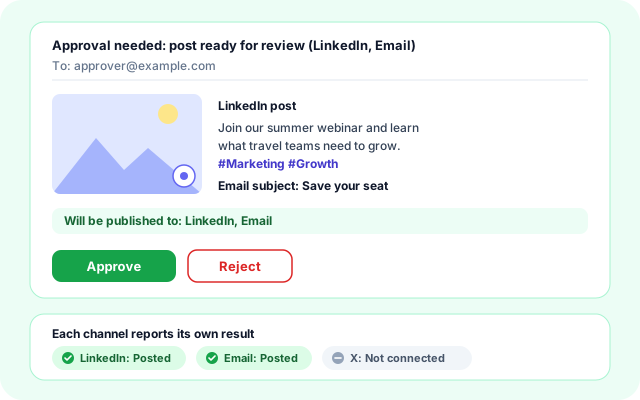
Run on a schedule and review
Set a daily, weekly or monthly schedule, or run on demand. Every run is recorded, so you can see what was drafted, approved and posted.
- Daily, weekly or monthly schedules.
- Run now for urgent campaigns.
- History of runs and their status.
- Adjust the objective as results come in.
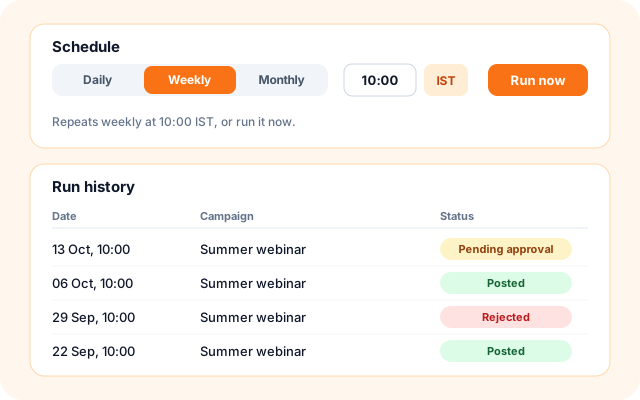
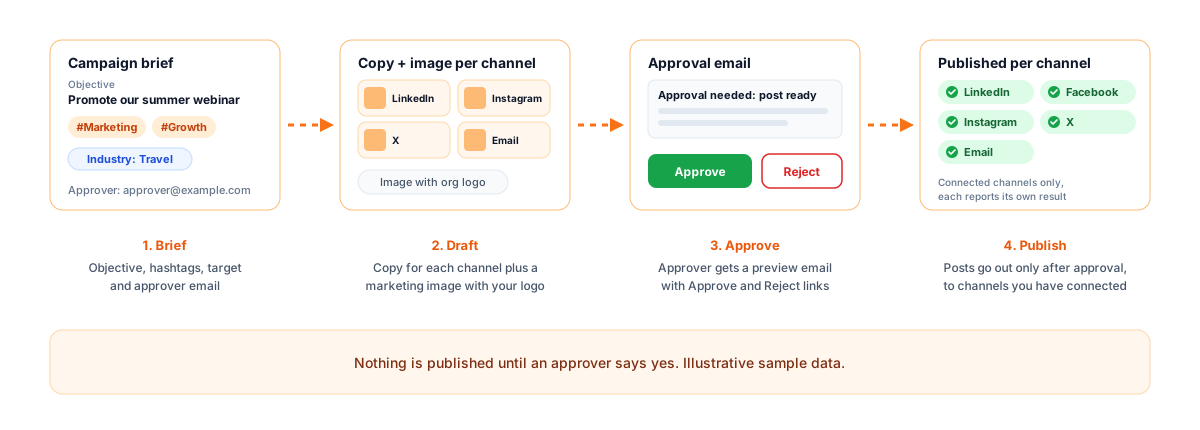
Five simple steps from objective to approved campaign.
Set up the campaign once in the guided wizard, then approve what MSA drafts on each run.
- Brief: Set the objective, hashtags, target and channels.
- Draft: MSA writes the copy and generates an image.
- Approve: The approver reviews an email preview.
- Send: Approved content is sent.
- Review: Run history and results are recorded.
From a campaign objective to an approved campaign.
Everything for always-on campaigns.
- Copy and image generation: Draft channel-appropriate copy and a branded marketing image.
- Audience targeting: Write for a company, industry, job role, person or a general audience.
- Approval workflow: Email preview with approve and reject before anything is posted.
- Scheduling and history: Run daily, weekly, monthly or on demand, with every run recorded.
Frequently asked questions
Which channels does it support?
Email is available in setup today. LinkedIn, Facebook, Instagram and X are listed as upcoming channels.
Is anything posted without approval?
Not for AI-generated content. The approver gets an email preview and must approve before it is sent. Content you provide yourself can be sent without approval if you choose that option.
Can I target a specific audience?
Yes. Set the target as generic, a company, an industry, a job role or a person, and the copy and image are written for that audience.
Can it run on a schedule?
Yes. Run it daily, weekly or monthly, or run it now when you need a campaign immediately.