How agent templates work
- Pick a template and open it in Agent Studio.
- Connect your sources with the Enterprise Search app or upload documents to a knowledge base.
- Test it in chat with real questions and adjust the instructions.
- Deploy it and share it with your team or embed it in a workflow.
Built to be edited
Every template is a starting point. You can change the instructions, tools and tone, restrict what the agent may do and keep several versions for different teams. Agents that use Enterprise Search only see what your connected credentials can read, and they are instructed to cite sources and admit when they cannot find an answer.
All agent templates
Open a template to see what it does, which tools it uses and how to deploy it.
Industries
- Asset Management Research Assistant: Asset Management: Summarises research, earnings notes and mandate documents, and prepares client-report drafts for review.
- Banking Operations & Policy Assistant: Banking: Answers policy, procedure and product questions for bank staff and prepares case summaries for review.
- Construction Project Documentation Assistant: Construction: Searches specs, RFIs, submittals and daily logs, and drafts RFIs, meeting minutes and change-order summaries.
- Consumer Goods Brand & Supply Insights Assistant: Consumer Goods: Summarises trade-promotion results, retailer feedback and category insights for brand and sales teams.
- Energy & Utilities Operations Assistant: Energy & Utilities: Supports field and asset teams with procedures, outage/maintenance history and compliance documentation…
- Government Services & Policy Assistant: Government: Helps agency staff find policies, procedures and past decisions, and draft plain-language citizen…
- Healthcare Operations & Policy Assistant: Healthcare: Supports hospital staff with policies, care-pathway documents, scheduling and administrative summaries.…
- Insurance Claims & Underwriting Support Assistant: Insurance: Summarises claim files and underwriting submissions against guidelines, for a licensed professional to decide.
- Legal Contract & Clause Assistant: Legal: Finds clauses across contracts, summarises obligations and flags risks against your playbook. Supports legal…
- Life Sciences Regulatory & Medical Information Assistant: Life Sciences: Finds SOPs, protocol and submission documents and summarises literature for qualified life-science teams.
- Manufacturing Quality & Maintenance Assistant: Manufacturing: Finds SOPs, maintenance history and non-conformance reports, and drafts shift summaries and root-cause…
- PE / VC Deal & Diligence Assistant: Private Equity & VC: Organises diligence findings, drafts IC memo sections and tracks portfolio updates from data-room and…
- Retail Merchandising & Store Ops Assistant: Retail: Answers store-operations questions and drafts merchandising, promo and inventory-exception summaries.
- Supply Chain Control Tower Assistant: Supply Chain: Summarises shipment exceptions, supplier risks and S&OP notes, and drafts supplier communications.
Business functions
- Consulting Knowledge & Proposal Assistant: Consulting: Finds prior engagements, experts and frameworks, and drafts proposals and executive summaries.
- Customer Support Agent Assist: Customer Support: Suggests grounded replies from help-center articles and past tickets, and summarises cases for handoff.
- Finance Close & FP&A Assistant: Finance: Helps finance teams explain variances, prepare close checklists and answer policy questions with cited…
- Indian Market Equity Intelligence: Finance: Research NSE/BSE equities with live prices, social feeds (Reddit/StockTwits/X/NSE announcements), web…
- LIA (Ledger Insights Agent) Template: Finance: Org-level bill management and expense intelligence. Digitize purchase bills, sales invoices, and expense…
- IT Helpdesk Assistant: IT Service Management: Resolves common IT issues from runbooks and past tickets, and prepares a complete ticket summary when…
- IT Services Delivery & Account Assistant: IT Services: Helps delivery managers with status reports, risk logs, SLA summaries and runbook lookup across projects.
- B2B Marketing Content & Campaign Assistant: Marketing: Drafts account-based campaign briefs, case-study outlines and enablement content from your product docs and…
- B2C Marketing & Audience Assistant: Marketing: Plans consumer campaigns, copy variants and content calendars with brand-voice and compliance checks.
- HR Policy & Onboarding Assistant: People & HR: Answers employee questions on policies, benefits and leave with cited sources, and guides new hires through…
- Sales Account Intelligence Assistant: Sales: Prepares account briefs, call prep and follow-ups from CRM notes, tickets and past conversations.
- Customer Support Agent: Support & Service: AI agent for handling customer inquiries, ticket management, and support automation. Provides empathetic…
- Sales Assistant Agent: Support & Service: Lead qualification, follow-ups, and pipeline management automation. Helps sales teams prioritize leads and…
Engineering & data
- Code Review Agent: Engineering: Automated code analysis, security checks, and best practice recommendations. Provides detailed feedback on…
- Data Analysis Agent: Engineering: Process and analyze datasets, generate insights, and create visualizations. Handles data cleaning,…
- Data Validation Agent: Engineering: Automated data quality checks, validation rules, and anomaly detection. Ensures data integrity and…
- Document Search Agent (RAG): Engineering: Retrieval-Augmented Generation (RAG) agent for intelligent document search. Finds relevant information in…
- Engineering Context Assistant: Engineering: Answers "where is / why did we / who owns" questions across code, issues, design docs and chat, with links.
- Research Agent: Engineering: Gather information, summarize research papers, and track latest developments. Provides comprehensive…
- Search Agent: Engineering: AI-powered web search agent that finds and synthesizes information from across the internet. Perfect for…
Learning & careers
- Mock Interview Agent: Career: AI-powered mock interview coach. Practice any round — behavioral, technical, system design, coding, HR —…
- Classroom Agent: Education: AI assistant for managing college information, current session details, and lecture data with integrated tools
- International Olympiad Assessment: Education: Comprehensive AI agent for olympiad preparation with structured learning, adaptive testing, automatic…
- Summar Vocational Internship: Education: Find vocational training and summer internship institutes by stream and batch. Get requirements, how to…
- Higher Education Student & Faculty Services Assistant: Higher Education: Answers questions on admissions, registration, policies and research administration from official university…
- Career Companion Agentic Workflow: Personalization: AI-orchestrated career platform: discovers opportunities, prepares you, conducts mock interviews, tracks…
- Content Writer Agent: Personalization: Generate blog posts, articles, and marketing content with SEO optimization. Creates engaging,…
- Industry agents: Banking, healthcare, legal, insurance, retail and more.
- Business functions: HR, IT, support, sales, marketing and finance.
- Engineering and data: Code review, data analysis and research.
What Agent templates gives you
Pick a specialist
Every template is a starting point. You can change the instructions, tools and tone, restrict what the agent may do and keep several versions for different teams. Agents that use Enterprise Search only see what your connected credentials can read, and they are instructed to cite sources and admit when they cannot find
Point it at your data
An agent template is a pre-configured AI specialist with its instructions, tools and example tasks already set. Open one in Agent Studio, test it in chat, point it at your own documents and databases, and deploy it. The templates below are grouped by industry, business function, engineering and learning, and each has a
Deploy and share
An agent template is a pre-configured AI specialist with its instructions, tools and example tasks already set. Open one in Agent Studio, test it in chat, point it at your own documents and databases, and deploy it. The templates below are grouped by industry, business function, engineering and learning, and each has a
How it works
Four steps from sign-in to results.
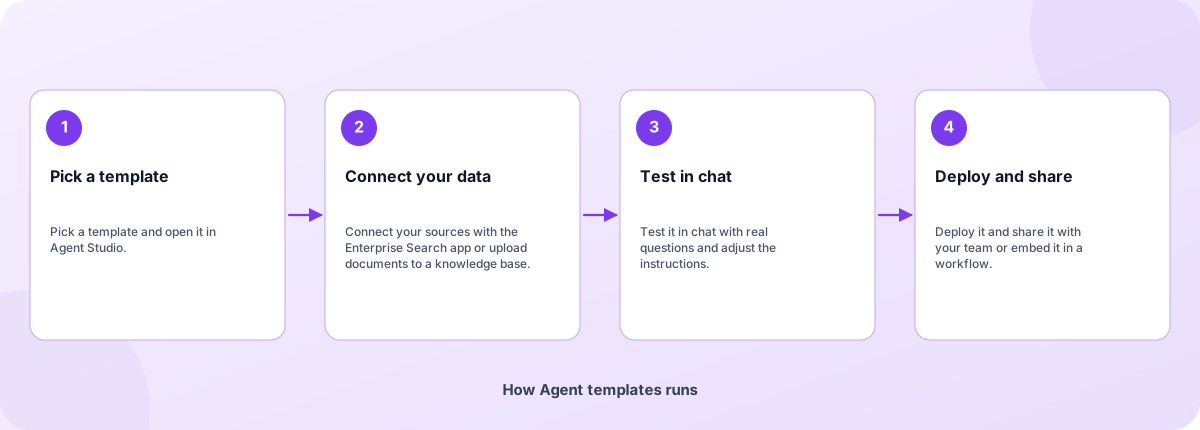
- Pick a template: Pick a template and open it in Agent Studio.
- Connect your data: Connect your sources with the Enterprise Search app or upload documents to a knowledge base.
- Test in chat: Test it in chat with real questions and adjust the instructions.
- Deploy and share: Deploy it and share it with your team or embed it in a workflow.
How Agent templates runs
How Agent templates is built
Agent templates runs on the Coderva platform. Each layer below can be changed without touching the others.
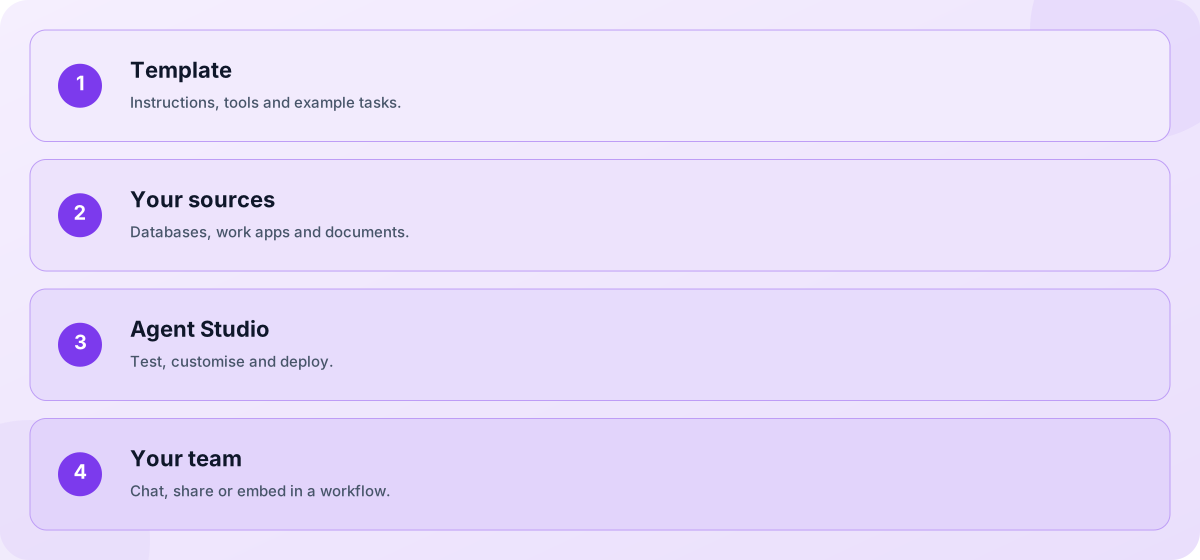
- Template: Instructions, tools and example tasks.
- Your sources: Databases, work apps and documents.
- Agent Studio: Test, customise and deploy.
- Your team: Chat, share or embed in a workflow.
Screens you will use
Open the app after you sign in.
How agent templates work
An agent template is a pre-configured AI specialist with its instructions, tools and example tasks already set. Open one in Agent Studio, test it in chat, point it at your own documents and databases, and deploy it. The templates below are grouped by industry, business function, engineering and learning, and each has a page explaining what it helps with and what it needs.
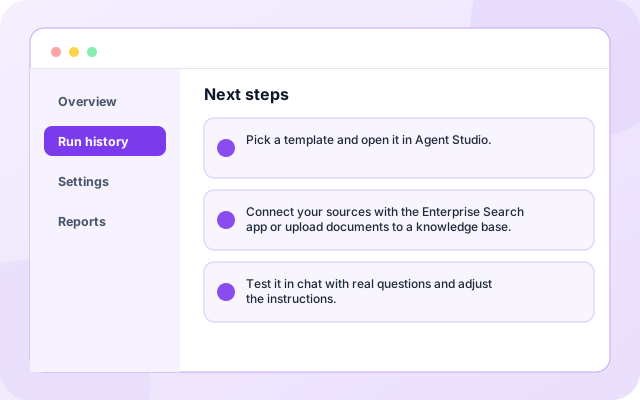
Next steps
Pick a template and open it in Agent Studio.
- Pick a template and open it in Agent Studio.
- Connect your sources with the Enterprise Search app or upload documents to a knowledge base.
- Test it in chat with real questions and adjust the instructions.
What teams use it for
Each capability can be used on its own.
- Policy and SOP lookup: Most search your own sources, so you connect a database or work apps and upload documents. Without data they say that nothing was found rather than guess.
- Case and account briefs: Yes. Instructions, tools and behaviour are editable in Agent Studio.
- Support replies: They default to an open GPT-OSS model served by Groq. You can choose a different model when you customise the agent.
- Code and data work: Most search your own sources, so you connect a database or work apps and upload documents. Without data they say that nothing was found rather than guess.
- Research digests: Yes. Instructions, tools and behaviour are editable in Agent Studio.
- Interview and study help: They default to an open GPT-OSS model served by Groq. You can choose a different model when you customise the agent.
What it connects to
Systems this page covers.
- Enterprise Search
- Knowledge Base
- GitHub
- Web Search
- PDF Reader
Control and checks built in
You decide what is connected and what happens with it.
- Do agent templates need my data?: Most search your own sources, so you connect a database or work apps and upload documents. Without data they say that nothing was found rather than guess.
- Can I customise a template?: Yes. Instructions, tools and behaviour are editable in Agent Studio.
- Which model do the templates use?: They default to an open GPT-OSS model served by Groq. You can choose a different model when you customise the agent.
What is in Agent templates
Frequently asked questions
Do agent templates need my data?
Most search your own sources, so you connect a database or work apps and upload documents. Without data they say that nothing was found rather than guess.
Can I customise a template?
Yes. Instructions, tools and behaviour are editable in Agent Studio.
Which model do the templates use?
They default to an open GPT-OSS model served by Groq. You can choose a different model when you customise the agent.