How workflow templates work
- Choose the template that matches the job you want done.
- Connect the accounts it needs, such as a mailbox, a WhatsApp number or a website.
- Review the defaults and the limits, then enable it.
- Follow results in the execution history, and pause or edit it at any time.
Why use a template
- You only connect accounts and review settings instead of building from nothing.
- Approval steps and limits are built in, so nothing important happens without you.
- Every run is recorded with its reason, which makes results easy to review.
All workflow templates
Each template links to a full guide. Start opens its setup page after you sign in.
- ERA Email Routing Agent: Route shared inbox mail with rules first, AI for the rest
- ERA Email Follow-up Monitor: Remind customers and escalate threads nobody answered
- EMA Email Marketing Agent: Segment contacts and send personalised campaigns
Messaging & voice
- WRA WhatsApp Routing Agent: Answer and route WhatsApp messages with an AI agent
- CIA Calling Agent: Qualify contacts and book demos in simulation mode
Marketing & SEO
- SEO Management: Audit your site, review fixes and track rankings
- Google Ads Performance Agent: Plan, audit and optimise Google Ads campaigns
- Marketing & Social Agent: Generate campaign posts, approve, then publish
Trading & careers
- Auto Trading Agent: NSE signals and optional automated orders within your risk limits
- Mock Interview Agent: Practise interviews with structured feedback
- Guided setup: Connect accounts and review settings, no code.
- Approvals and limits: Nothing important happens without you.
- Run history: Every run is stored with its reason.
What Workflow templates gives you
Start from something that works
A workflow template is a complete, ready-to-run automation: it connects your accounts, runs on a schedule or whenever a message arrives, and keeps a history of every run. Each template below has its own guide that explains what it does, how to set it up, what you need and where you stay in control. Pick one, sign in an
Stay in control
A workflow template is a complete, ready-to-run automation: it connects your accounts, runs on a schedule or whenever a message arrives, and keeps a history of every run. Each template below has its own guide that explains what it does, how to set it up, what you need and where you stay in control. Pick one, sign in an
Review what happened
A workflow template is a complete, ready-to-run automation: it connects your accounts, runs on a schedule or whenever a message arrives, and keeps a history of every run. Each template below has its own guide that explains what it does, how to set it up, what you need and where you stay in control. Pick one, sign in an
How it works
Four steps from sign-in to results.
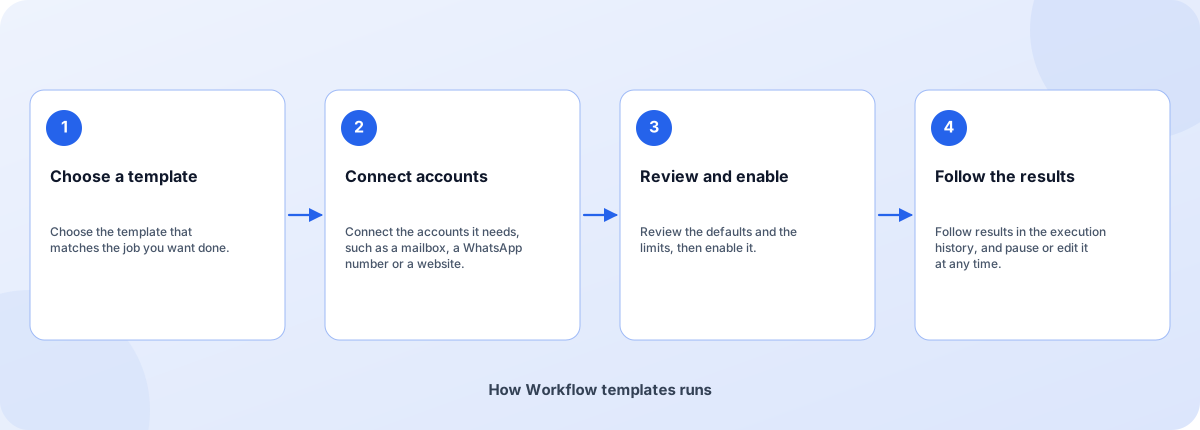
- Choose a template: Choose the template that matches the job you want done.
- Connect accounts: Connect the accounts it needs, such as a mailbox, a WhatsApp number or a website.
- Review and enable: Review the defaults and the limits, then enable it.
- Follow the results: Follow results in the execution history, and pause or edit it at any time.
How Workflow templates runs
How Workflow templates is built
Workflow templates runs on the Coderva platform. Each layer below can be changed without touching the others.
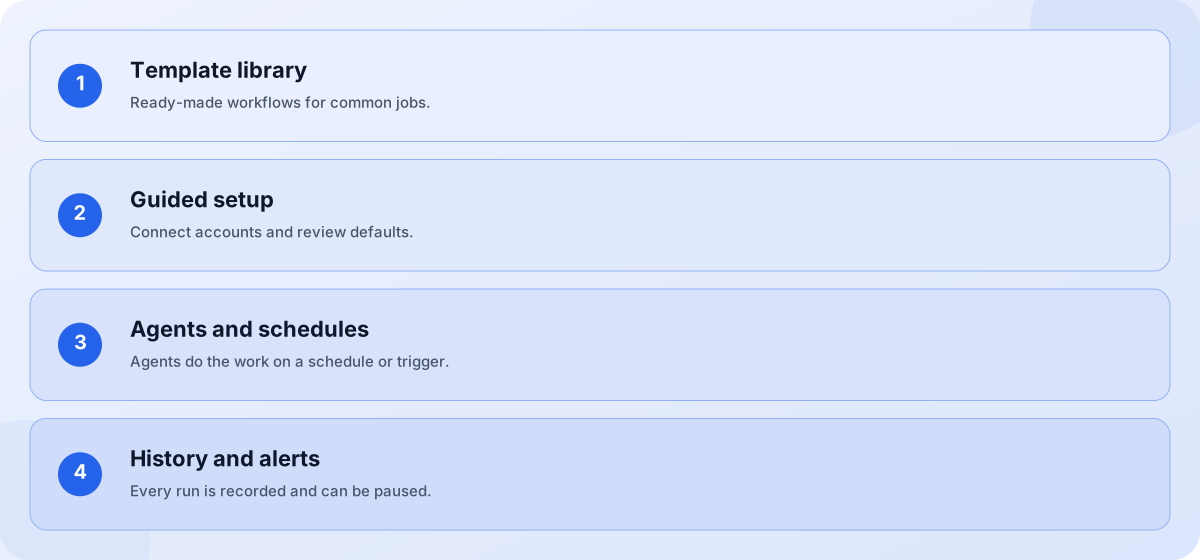
- Template library: Ready-made workflows for common jobs.
- Guided setup: Connect accounts and review defaults.
- Agents and schedules: Agents do the work on a schedule or trigger.
- History and alerts: Every run is recorded and can be paused.
Screens you will use
Open the app after you sign in.
How workflow templates work
A workflow template is a complete, ready-to-run automation: it connects your accounts, runs on a schedule or whenever a message arrives, and keeps a history of every run. Each template below has its own guide that explains what it does, how to set it up, what you need and where you stay in control. Pick one, sign in and you land directly on its setup page.
Next steps
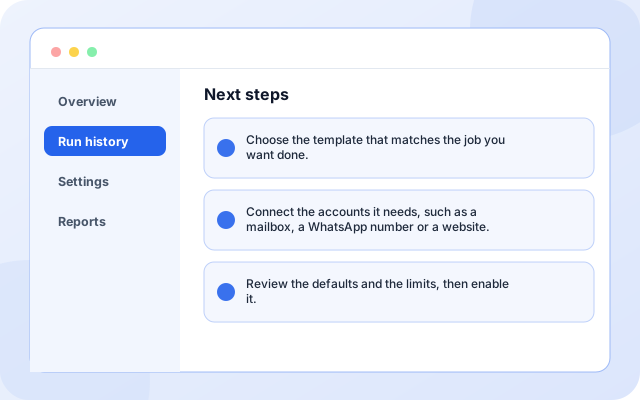
Choose the template that matches the job you want done.
- Choose the template that matches the job you want done.
- Connect the accounts it needs, such as a mailbox, a WhatsApp number or a website.
- Review the defaults and the limits, then enable it.
What teams use it for
Each capability can be used on its own.
- Email operations: No. Each template has a guided setup. You connect accounts and review settings.
- WhatsApp and voice: Yes. Settings can be edited from the workflow page, and workflows can be paused at any time.
- Marketing and SEO: A workflow template automates a whole process with schedules, integrations and history. An agent template is a single specialist you chat with or reuse inside workflows.
- Advertising: No. Each template has a guided setup. You connect accounts and review settings.
- Trading: Yes. Settings can be edited from the workflow page, and workflows can be paused at any time.
- Career practice: A workflow template automates a whole process with schedules, integrations and history. An agent template is a single specialist you chat with or reuse inside workflows.
What it connects to
Systems this page covers.
- Gmail and IMAP
- WhatsApp Business
- Facebook and Instagram
- Google Search Console
- Google Ads
- Angel One
Control and checks built in
You decide what is connected and what happens with it.
- Do I need to write code to use a workflow template?: No. Each template has a guided setup. You connect accounts and review settings.
- Can I change a template after enabling it?: Yes. Settings can be edited from the workflow page, and workflows can be paused at any time.
- What is the difference from an agent template?: A workflow template automates a whole process with schedules, integrations and history. An agent template is a single specialist you chat with or reuse inside workflows.
What is in Workflow templates
Frequently asked questions
Do I need to write code to use a workflow template?
No. Each template has a guided setup. You connect accounts and review settings.
Can I change a template after enabling it?
Yes. Settings can be edited from the workflow page, and workflows can be paused at any time.
What is the difference from an agent template?
A workflow template automates a whole process with schedules, integrations and history. An agent template is a single specialist you chat with or reuse inside workflows.